


Riff: Fast Easy Photo Edits
4.273.00 Reviews
App Specs
- Version
- 2026-06-05T02:52:34Z
- Updated On
- License
- Free
- Downloads
- 50,000+
- Developer
- Riff AI
- Categories
- Photography
- Platform
- Android
Screenshots




 Analysis by AppCompare
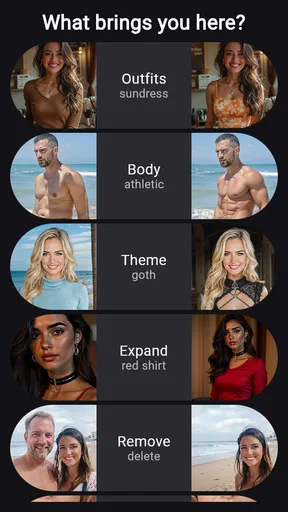
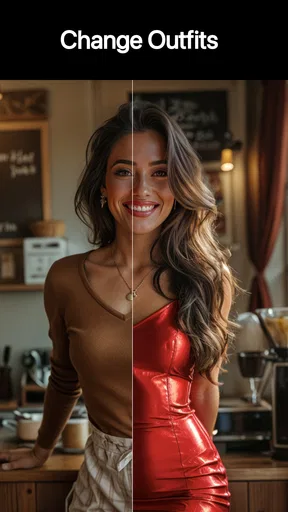
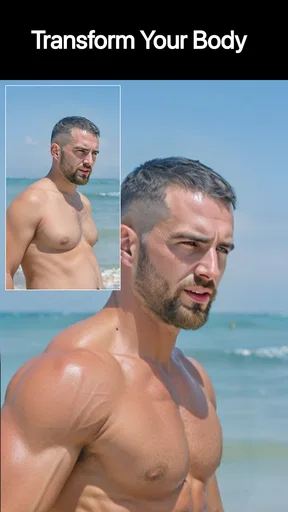
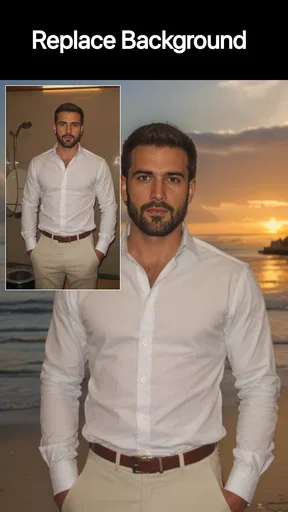
If you’re like me, you’ve probably found yourself scrolling through your camera roll, wishing your photos had that extra pop. Well, let me introduce you to Riff: Fast Easy Photo Edits. This photography app is built around quick, approachable changes, but its focus goes beyond the familiar filter-and-crop routine: you can use it to alter clothing, adjust body types, add details, and clean up distractions. I’d approach it as a practical creative tool for individual images, not as a replacement for a full desktop editing suite. Let’s dive into what makes it useful and where I’d be more cautious.
What to expect from a focused photo editor
Riff is made by Riff AI, and its central appeal is that it gives everyday users a way to rethink parts of a photo without asking them to learn a complicated editing workflow first. That makes it interesting for casual portraits, outfit ideas, and social posts where one small change can help an image feel more intentional. The app is free to download, with in-app purchases ranging from $4.99 to $89.99 per item, so I’d explore the available options before building a regular editing habit around anything that may require payment.
Its audience is broad: the age rating is Everyone, and the app has over 10,000 installs. It holds a 4.4 average from around 400 ratings, with 55 written reviews. Those figures suggest that people are using it, but they don’t tell me whether a particular edit will look convincing on my own photo. For that, the source image matters a lot. A clear, well-lit picture with the subject separated from the background gives an editing tool more to work with than a dim, busy shot.
First setup: choose a photo with room to work
When I’m trying a new photo editor, I don’t start with the picture I care about most. I pick a duplicate or a low-stakes image first, then keep the original untouched. That’s especially sensible when testing changes to clothing or body shape: even a useful edit can shift the look and feel of a portrait more than expected. Starting with a copy lets me compare the result honestly and back out without losing the version I liked.
Riff’s current version is identified as 2026-01-10T15:45:41Z, and it supports devices running Android 8.0 or later. If the app is available on your device, the first useful step is simply to select a photo that has a clear subject and a purpose. Decide whether you want to remove a distracting element, explore a different outfit, or add a small visual detail. Having one specific goal makes it easier to judge whether the change helped instead of piling on edits just because they are available.
Making a first edit you can actually judge
For a first meaningful result, I’d use a portrait with uncluttered lighting and make one change at a time. If the goal is an outfit variation, I’d inspect the edges around sleeves, hair, and the background rather than judging only the main clothing area. If I’m removing a distraction, I’d look closely at the space it leaves behind. These checks are more useful than asking whether the image looks “edited”; the real test is whether the change fits the scene and still feels like the photo I intended to make.
A realistic everyday example would be choosing a portrait for a profile or a post and noticing a small object or visual detail pulling attention away from the person. I’d try removing that distraction first, then compare the edited image with the untouched copy at normal viewing size. If the background looks strange, I’d undo the change rather than repeatedly pushing it. This one-change-at-a-time approach is a simple way to find out what Riff does well on your specific photo without confusing the result with several competing edits.
Worth Reading Before You Choose

Flipboard Shows What News Apps Must Do Beyond the Feed

Switching to Android Auto Means Rethinking Your Driving Routine

Google Calendar Makes a Crowded Week Easier to Manage

Ludo King Makes the Most of the Minutes Between Plans

Baby Panda World Brings Quick Play to Modern Phones, but Its Game Library Feels Busy

ESPN’s Live Game View Makes Following Close Games Easier
The most useful tip I can offer is to treat body and outfit changes as creative previews, not automatic improvements. A small adjustment can alter the balance of a pose or make fabric look unlike the original. I’d check the full image and the edges of the edit, then ask whether it suits the purpose: a playful concept image gives you more freedom than a portrait meant to represent you accurately. That distinction helps keep the tool fun without letting a quick visual experiment become a misleading edit.
Effortless Editing at Your Fingertips
The first thing that strikes you about Riff: Fast Easy Photo Edits is its user-friendly interface. Seriously, I’ve tried a bunch of editing apps, and Riff stands out for its simplicity. From the moment you open the app, everything is straightforward. You can easily navigate through the options without feeling overwhelmed by too many choices.
What I love about Riff is that it doesn’t try to be overly fancy. It offers just the right amount of tools to enhance your photos without complicating things. Whether you’re adjusting brightness, contrast, or applying a filter, it’s all incredibly intuitive. No need to watch lengthy tutorials or get lost in a maze of options.
Filters and Effects Galore
One of the standout features has to be the wide array of filters. There’s something for everyone, whether you’re into vintage vibes, vibrant hues, or subtle enhancements. I had a blast experimenting with different looks for my photos, and I was surprised at how professional the results looked with minimal effort.
The effects are where Riff truly shines. From artistic overlays to playful stickers, the app lets you add a creative touch to your photos. I found myself spending more time than I’d like to admit, just playing around with all the options. It’s addictive!
User Experience and Design
Let’s talk about the design. Riff is sleek and modern, with a layout that’s easy on the eyes. The developers clearly put a lot of thought into the user experience. Buttons are well-placed, and the overall flow of the app feels natural. I never felt lost or confused, which is a huge plus in my book.
Another thing worth mentioning is the app’s speed. It’s called "Fast Easy Photo Edits" for a reason. I never encountered any lag or crashes, even when applying multiple edits to a photo. It’s refreshing to use an app that’s as reliable as it is efficient.
Where expectations and results can differ
Simple controls are helpful, but they don’t guarantee that every change will blend naturally. A busy background, overlapping objects, or complicated clothing details can make a photo harder to edit cleanly. I’d pay special attention to boundaries and reflections, because those are the places where a visual change may become noticeable. If the result draws attention to the edit instead of the subject, I’d revert it or choose a less ambitious adjustment.
There’s also a trade-off between speed and control. For quick experiments, a streamlined mobile editor can be more appealing than opening a desktop program with layers and detailed selections. For precise retouching, consistent edits across a batch of images, or careful professional work, the extra control in a more advanced editor is worth the learning curve. Riff makes more sense when I want to try a focused change on one photo and decide quickly whether it works.
That’s why I wouldn’t make it my only option for every kind of photography. A general-purpose editor is often better for exposure, color correction, cropping, and repeatable adjustments; a specialist retouching workflow is better when every edge must be exact. Riff’s distinctive value is the room it gives you to try visual changes that go beyond basic tonal cleanup. I’d use it alongside, rather than instead of, the tools I rely on for careful finishing.
Sharing and Saving Options
Once you’ve perfected your photo, sharing it is a breeze. Riff integrates seamlessly with social media platforms, allowing you to post your creations directly from the app. Whether you’re on Instagram, Facebook, or Twitter, Riff has you covered. Plus, you can save your edited photos in high resolution, ensuring they look great no matter where you share them.
There’s also a handy option to save your favorite edits as presets. This is perfect for those who have a go-to style or frequently edit photos in a similar way. It’s all about convenience, and Riff nails it.
A sensible next step for new users
Once I’ve found an edit that works, I’d save the result and compare it with the original before sharing. That quick side-by-side check catches changes that seemed fine while I was focused on the editing controls but feel too strong in the finished image. It’s also a good point to decide whether I want a consistent look across several photos or whether each image needs its own treatment. A saved preset may help with a repeated style, while a one-off portrait usually benefits from judging it on its own.
If you’re wondering whether the app is suitable for a first-time editor, I think its straightforward feel makes it approachable, especially if you have a specific result in mind. If you’re asking whether it suits someone who wants exact, professional retouching, I’d choose a more detailed editor for that job. And if you’re unsure about spending, start with the free download and check the in-app purchase options before deciding what fits your needs. I’d also keep an untouched copy of anything important, so experimenting never costs you the photo you wanted to preserve.
Conclusion
In a world where countless photo editing apps are vying for attention, Riff: Fast Easy Photo Edits manages to carve out its niche by focusing on simplicity and efficiency. It’s perfect for anyone who wants to enhance their photos without getting bogged down by complicated features. Whether you’re a casual user or someone who regularly posts on social media, Riff is sure to become your go-to app.
So, if you’re tired of complex editing software and just want something that works, give Riff a try. You won’t be disappointed. With its fast and easy edits, you’ll be turning ordinary photos into stunning visuals in no time. Happy editing!
Pros
- Intuitive interface makes editing simple.
- Variety of filters for creative options.
- Fast processing speeds for quick edits.
- Easy sharing directly to social media.
- Lightweight app
- doesn't take much space.
Cons
- Limited advanced editing tools available.
- Requires internet for some features.
- Ads can be intrusive during use.
- No option for batch editing photos.
- Occasional bugs in older devices.
FAQs for Riff: Fast Easy Photo Edits
What features does Riff offer for photo editing?
Riff: Fast Easy Photo Edits provides a variety of tools to enhance your photos, including basic edits like cropping and rotating, as well as advanced features such as filters, overlays, and text additions. The app also supports layer-based editing and offers a selection of pre-made templates for quick adjustments.
Is Riff suitable for beginners or more advanced users?
Riff is designed to be user-friendly, making it ideal for beginners who are new to photo editing. However, it also includes advanced tools and features that cater to more experienced users, allowing for creative and detailed edits. The app’s intuitive interface makes it accessible to all skill levels.
Does Riff support sharing edited photos directly to social media?
Yes, Riff allows users to share their edited photos directly to popular social media platforms like Instagram, Facebook, and Twitter. The app includes built-in sharing options that make it easy to upload your creations without leaving the app, ensuring a seamless sharing experience for users.
Are there in-app purchases or subscriptions in Riff?
Riff offers a free version with basic features, but to access premium tools and ad-free editing, users can opt for in-app purchases or subscribe to a premium plan. These options provide additional filters, templates, and advanced editing tools that enhance the overall photo editing experience.
Can Riff handle high-resolution images without quality loss?
Riff is capable of processing high-resolution images while maintaining their quality. The app is optimized to ensure that edits do not degrade image resolution, making it suitable for photographers and users who require high-quality outputs. However, performance may vary depending on your device’s specifications.


